If your parent falls, you’ll know.
SteadiDay is an iPhone app for your mom or dad. It watches for hard falls and reminds them about their medicines, and when something goes wrong it texts you where they are.
What’s in the app
These are real screens from SteadiDay. Fall detection and medication reminders are on the free plan.
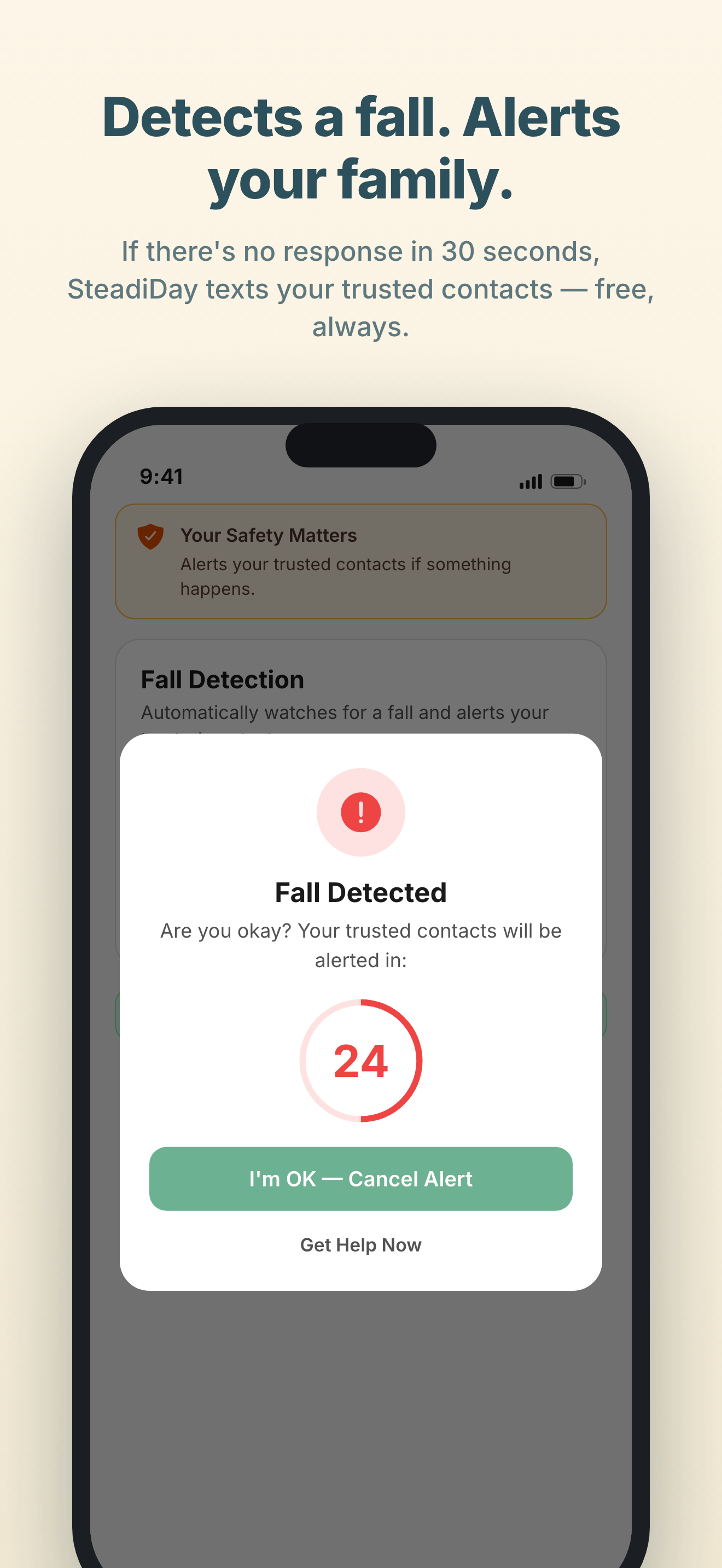
Fall Detection
Turn on Always-on Protection once and it stays on, with no session to remember to start. SteadiDay watches for hard falls in the background, and if one is detected with no response within 30 seconds, your trusted contacts are texted automatically with your location.
Needs a free SteadiDay account to send the texts, and iPhone Location set to Always so the app keeps watching in the background. If either is missing, the app tells you protection is limited rather than letting you assume you are covered.
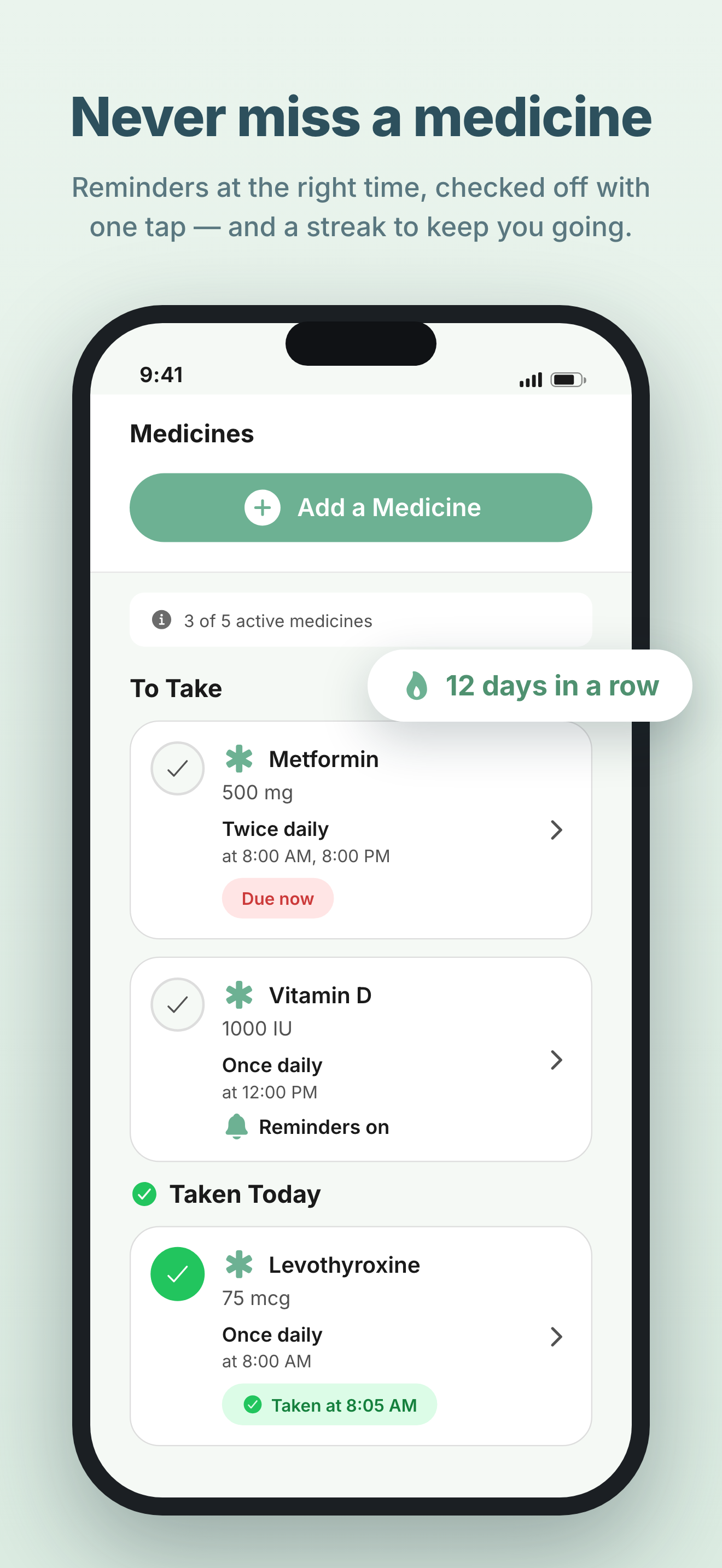
Medication Reminders
Scan the label or type the name, pick the times, and SteadiDay reminds them. Every dose they check off is recorded, and Family Link can share that record with you.
Free covers up to 5 medications and 7 reminders. Premium removes both limits.
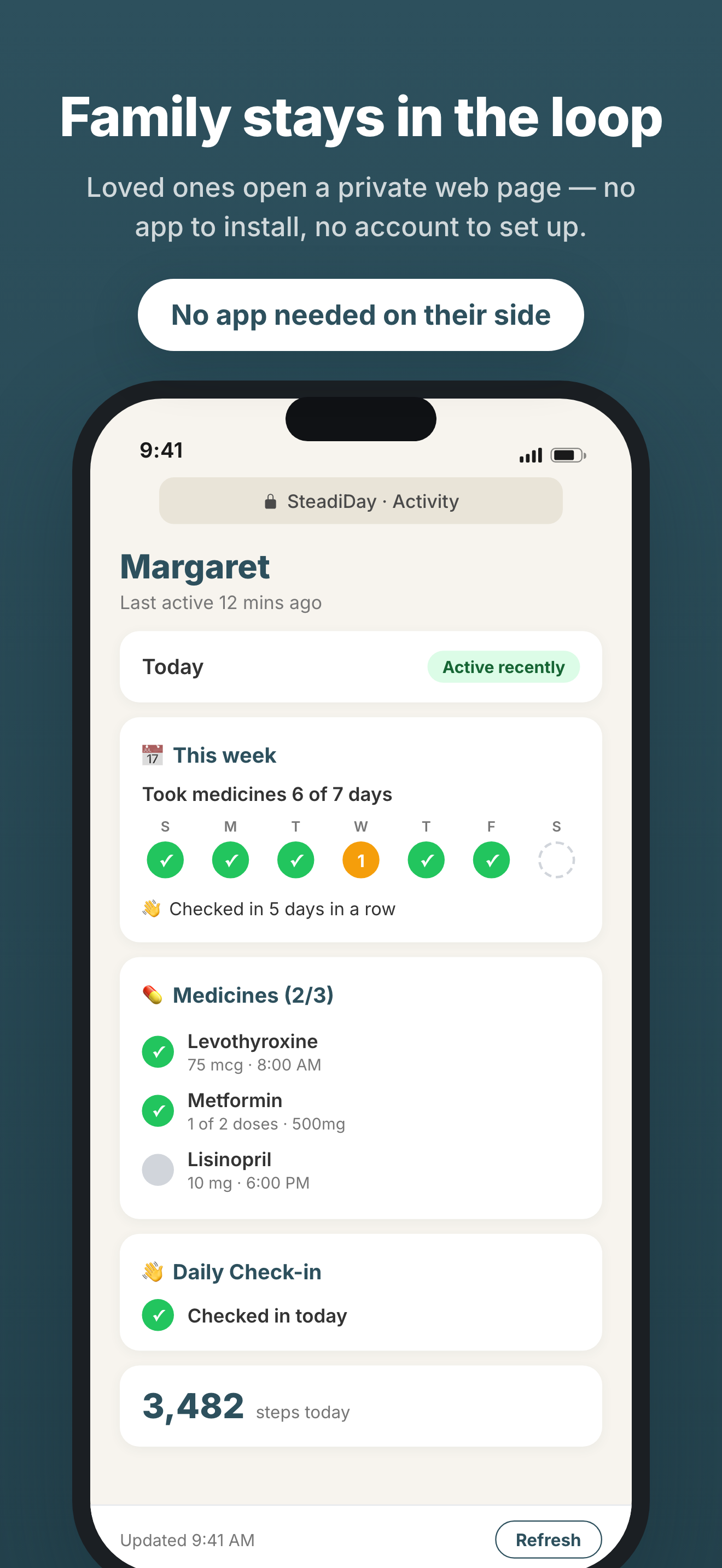
Family Link
Your parent can share a private Care Summary with you: the week’s medication streak, today’s medicines and reminders, the daily check-in and their step count. It’s a web link, so you don’t install anything or make an account, and they can switch it off whenever they like.
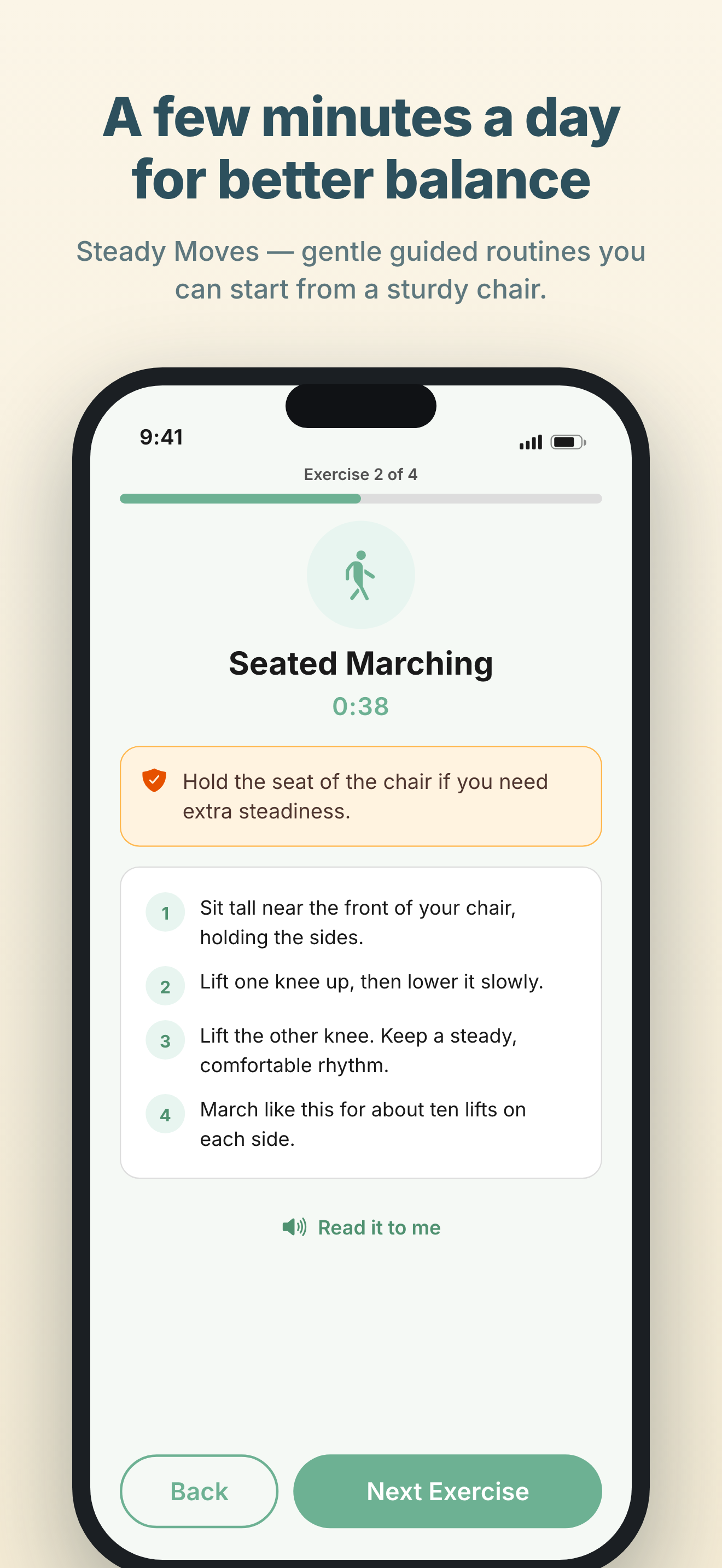
Steady Moves
Short balance and strength routines based on the CDC’s STEADI fall-prevention program. Most are done from a sturdy chair, with spoken instructions and large text.
Also in Premium
Food and water tracking, brain games, calendar sync and a few tools that come in handy.
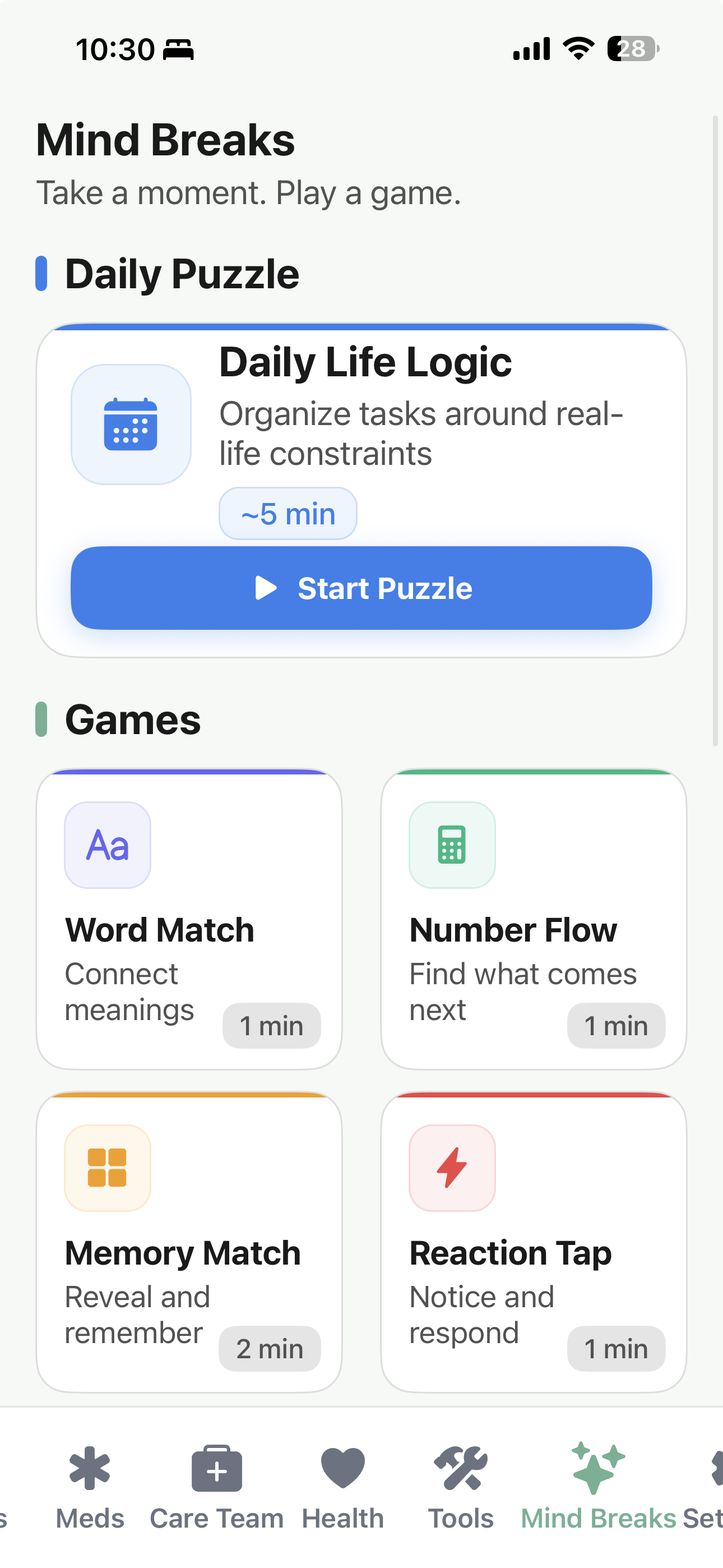
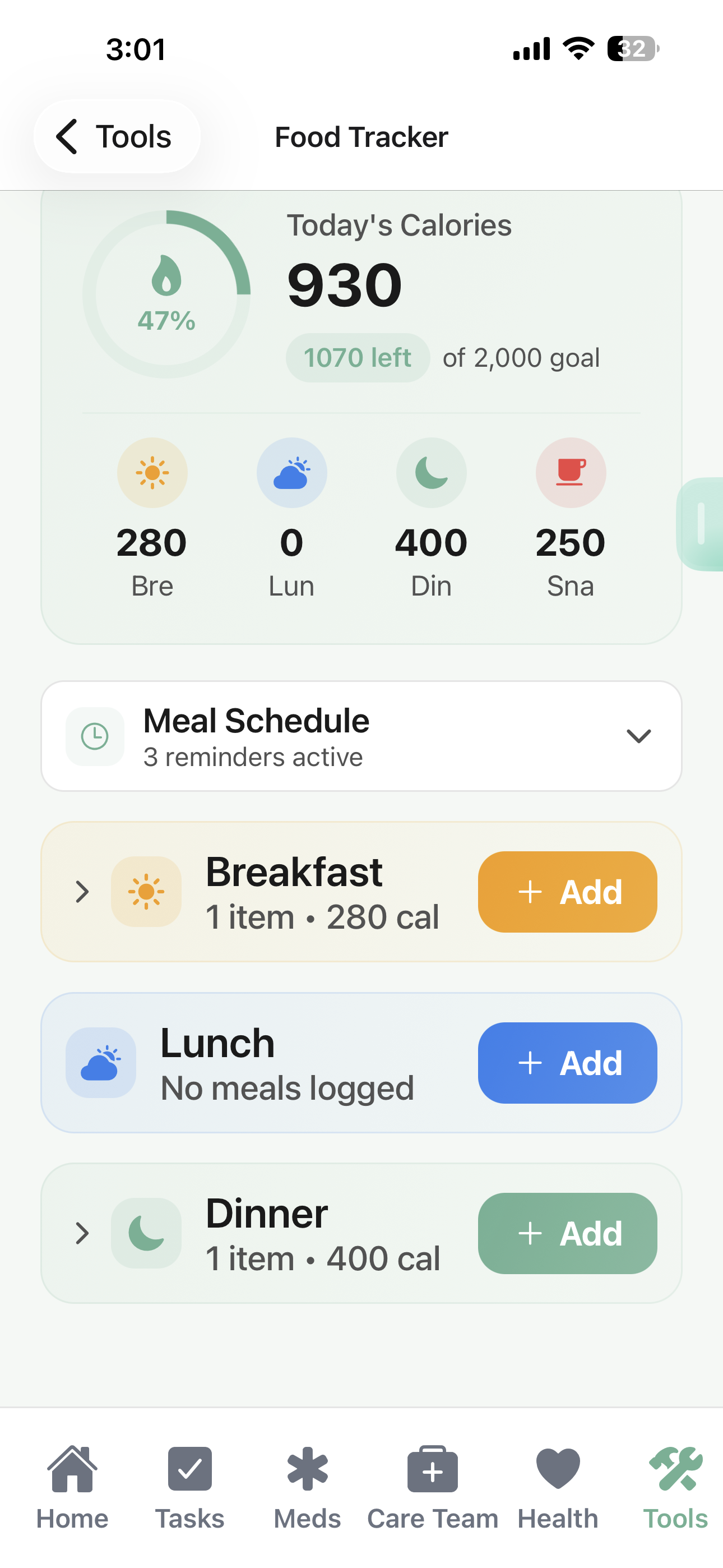
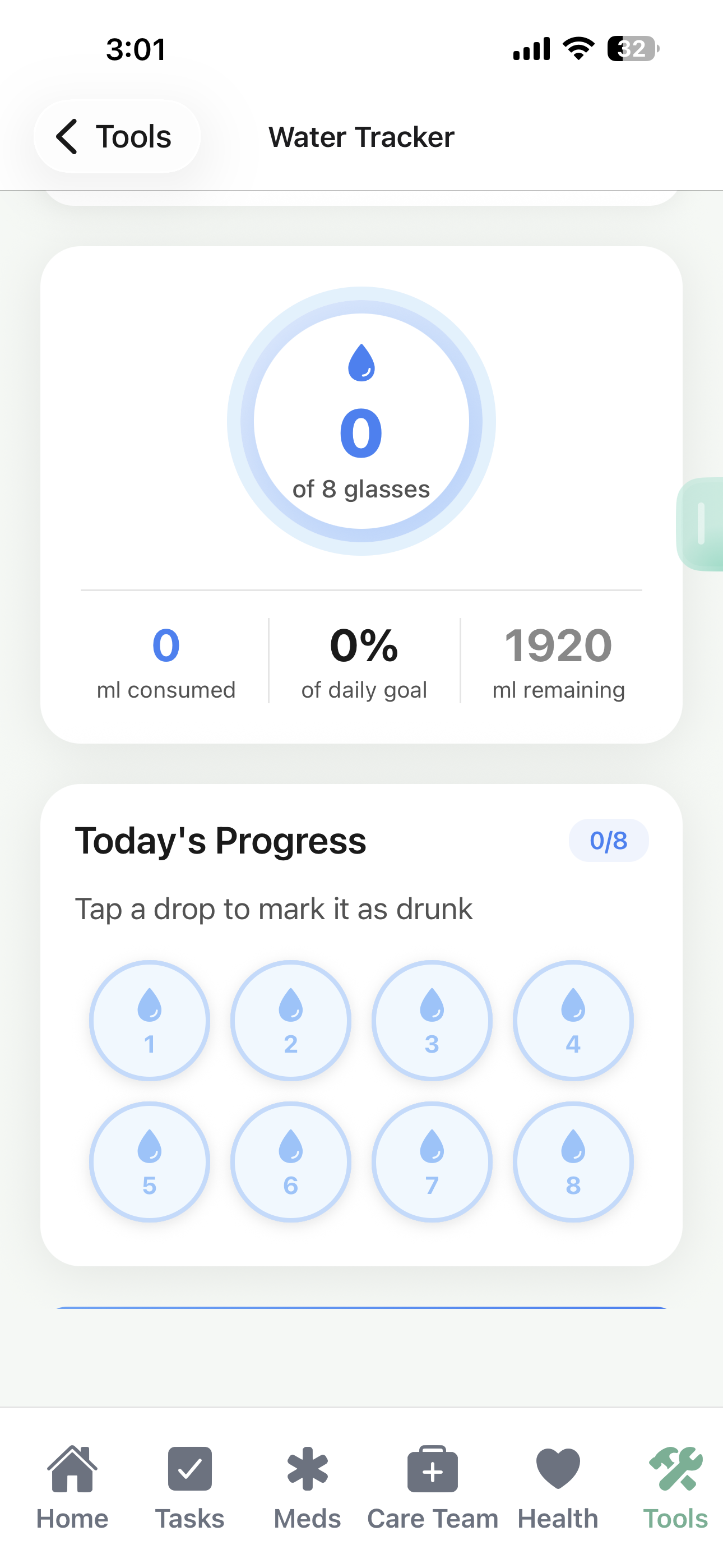
- Health dashboard. Steps, heart rate and sleep from Apple Health
- Find My Car. Save where you parked and get directions back
- Calendar sync. Apple Reminders, Apple Calendar or Google Calendar
- Tools. A magnifier, a flashlight and notes
- Backup. Reminders, medicines and settings move to a new phone
- Task ideas. Ready-made reminders for check-ups and home safety
- Your layout. Pick the home screen cards, button colors and reminder sounds
Two home screens to choose from
Simple Mode is the default. Standard Mode adds tabs for everything else. You can switch between them any time in Settings.
Simple Mode
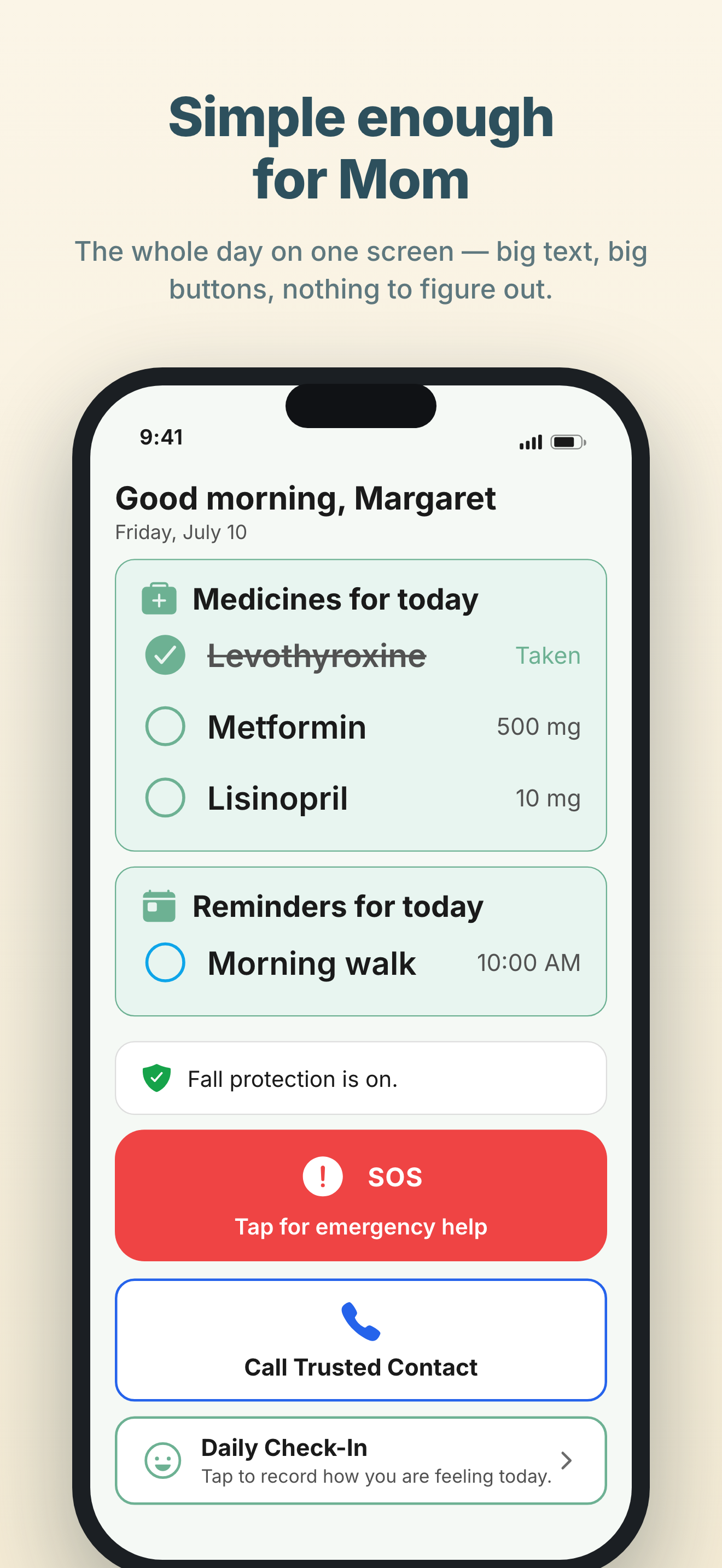
A few large buttons for what your parent uses every day, and nothing else.
- Big SOS button front and center
- Today's medicines and reminders, right on the home screen
- A plain-language line saying whether fall protection is on
- One tap to call a trusted contact, one to check in for the day
- Everything else in a simple “More” menu
Standard Mode
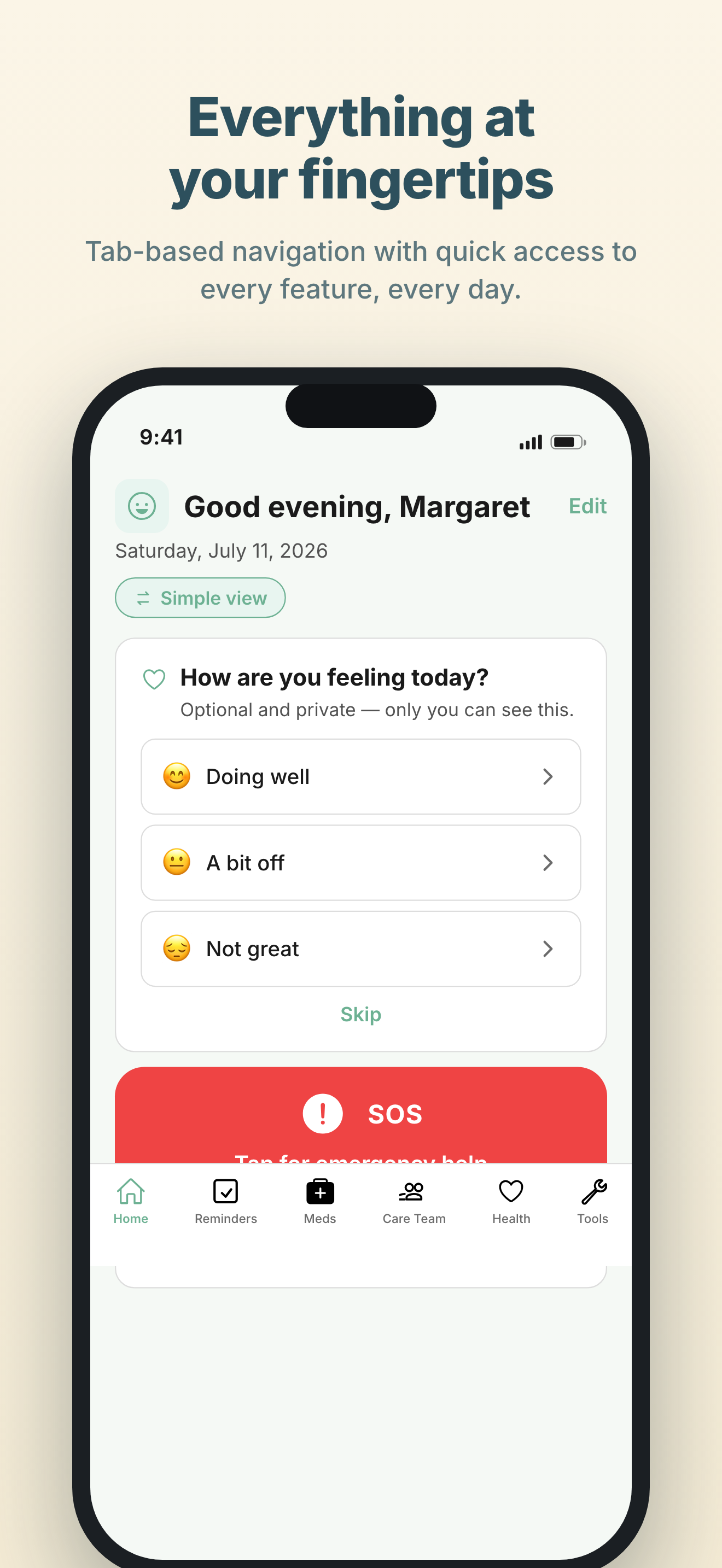
Tabs along the bottom for Home, Reminders, Meds and Health, with the rest under More.
- Bottom tabs: Home, Reminders, Meds, Health and More
- Health dashboard with Apple Health sync (Premium)
- Care Team, Tools and Mind Breaks under More
- Switch to Simple Mode any time
Setup takes about five minutes
Download the app
Get SteadiDay from the App Store and pick Simple or Standard Mode. You can switch later.
Add the people to tell
Add whoever should hear if something happens, then create the free account SteadiDay needs to text them. It takes a minute.
Add medicines
Scan a medication label or type the name, and choose when the reminders go off.
Turn on protection
Switch on Always-on Protection and leave it on. Fall detection then runs in the background, and SOS is one tap from the home screen.
What it costs
The safety features are free and there is no card to enter. Premium pays for the wellness tools.
SOS, fall detection and reminders.
- Emergency SOS
- Fall Detection
- Medication reminders (up to 5)
- Task reminders (up to 7)
- Daily check-ins & 1 trusted contact
Everything in Free, plus Family Link and the wellness tools. Or $29.99 a year.
- Unlimited medications
- Family Link caregiver sharing
- Steady Moves & Apple Health
- Food, water & calendar sync
- Tools, Mind Breaks & backup
Every Premium feature for a single payment.
- Everything in Premium
- No monthly or annual fees
- All future updates included
Questions
Their data is stored on their iPhone and protected by the phone’s own security. If they sign in, some of it syncs so that backup and caregiver sharing work. Apple Health data stays on their device.
Not to use it. Download SteadiDay and they can add medicines, set reminders, use Simple Mode, press SOS to call 911, and call a trusted contact without signing up for anything. A free account is needed for the features that reach other people: the automatic alert texts sent when a fall is detected or SOS is pressed, the live-location link, and Family Link. It costs nothing and takes about a minute. The account is how we make sure an alert text is coming from a real phone and not a stranger. Worth doing during setup rather than after something happens.
The safety features are free: Emergency SOS, fall detection, medication reminders (up to 5), task reminders (up to 7), one trusted contact, and daily check-ins. Premium ($3.99/mo or $29.99/yr) adds unlimited medications and trusted contacts, Family Link caregiver sharing, Apple Health, Steady Moves, the tools, and backup. There is also a $99.99 lifetime option.
You’re alerted the moment your parent uses the SOS button or a fall is detected. If they choose to share a Care Summary, you also get a private web page showing the week’s medication streak, today’s medicines and reminders, their daily check-in and step count. You don’t install an app or make an account. Their day-to-day data stays private unless they decide to share it.
SteadiDay is built for them. Simple Mode shows a few large buttons and nothing else, and you can set the whole thing up for them in about five minutes.
Simple Mode gives your parent a home screen with today’s medicines and reminders, a plain-language line saying whether fall protection is on, a big SOS button, and one tap each to call a trusted contact or check in for the day. Everything else is tucked into a simple “More” menu. You can switch between Simple Mode and Standard Mode any time in Settings.
We don’t think an SOS button should depend on what someone can pay. The SOS button, fall detection, medication reminders and daily check-ins will stay free, and Premium (unlimited medications, Family Link, health tracking) pays for development.
Built by a small team in Virginia
We built SteadiDay after watching family members juggle medications, appointments and daily routines with nowhere to keep track of them all.
We’re a small, independent team, and the safety features will stay free.
From the blog
Plain-language articles on medicines, prevention and health after 50, with links to the research behind them.
Norovirus in Older Adults: What to Do at Home This Fall
October 29, 2026The Mediterranean Diet: A Beginner's Guide for Seniors
October 26, 2026Fish Oil and Brain Health: What the Science Really Shows
October 22, 2026Generic Hormone Therapy Patch for Menopause Approved
October 15, 2026Sodium and Your Heart: How Much Is Too Much?
View all articles →Set it up for the parent you worry about
The safety features are free, there’s no card to enter, and setup takes about five minutes.


Contact us
Send a message and someone on the team will reply by email.